
Workspaces and members
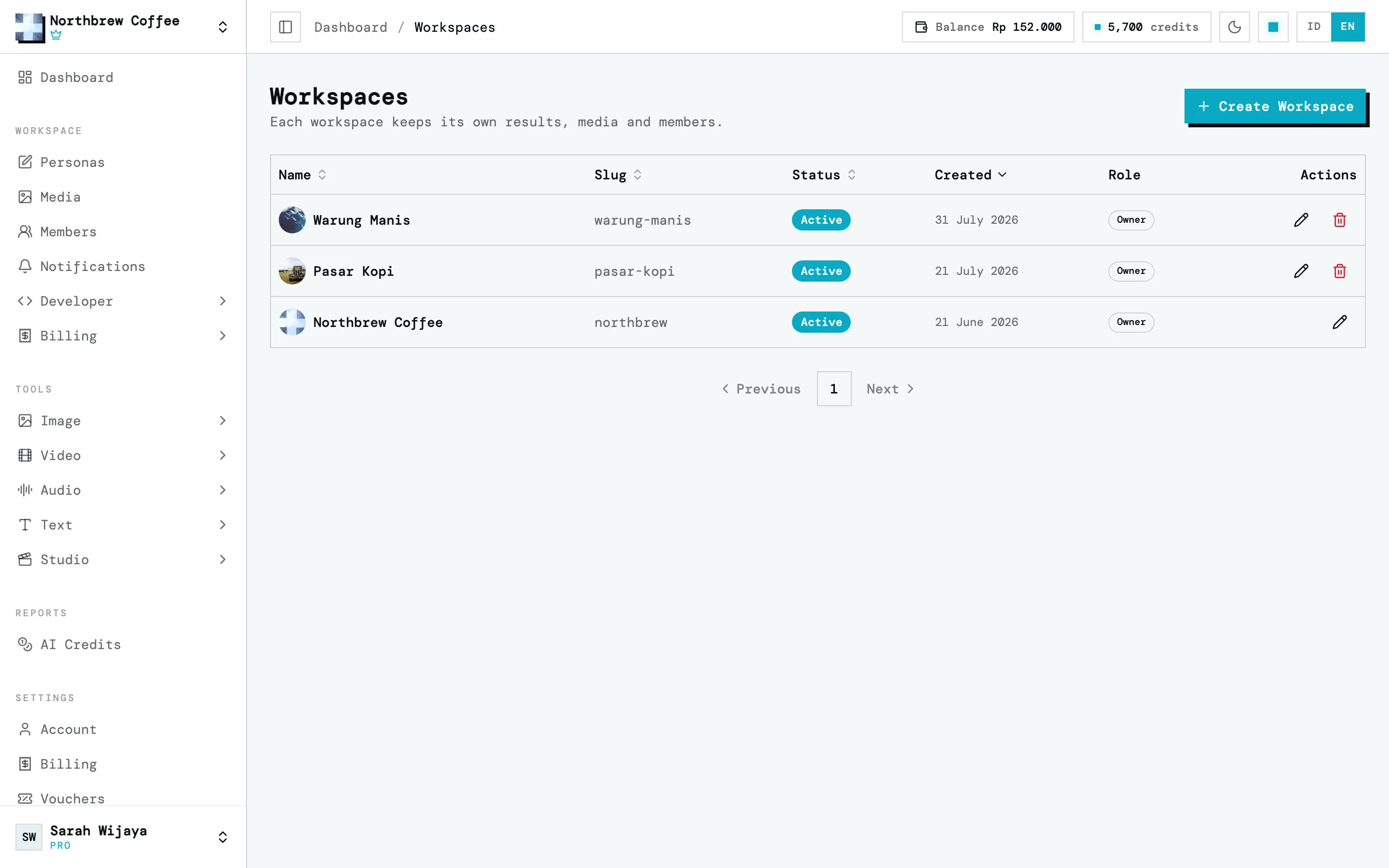
A workspace is where your work lives: results, uploads, the media library, and the people working on them. Nothing is shared between workspaces, and that’s the point: one client’s work never mixes with another’s.
Manage your workspaces under Settings then Workspaces.
When you need another one
Section titled “When you need another one”If you handle several brands or clients, make one workspace each. Access is granted per workspace, so someone helping with one client never sees another client’s work.
How many workspaces you can have depends on your plan: one on Free and Starter, then 2, 5 and 10 on Creator, Pro and Agency. See plans and add-ons.
One thing is still shared: credits and storage belong to your account, so every workspace draws from the same pool. To cap one workspace’s credits, see splitting credits per workspace.
Members
Section titled “Members”Everyone in a workspace is either its owner or a member.
The owner is whoever created the workspace. Owners can do everything, including inviting people, changing what they can reach, and deleting the workspace.
Members are invited by email. Until they accept, they show up as a pending invitation you can resend or revoke.
Permissions
Section titled “Permissions”A member can only use what you switch on for them. The ones that matter in Wujud:
| Permission | What it opens |
|---|---|
| AI Tools | every tool in the Tools group |
| Personas | the Personas page |
| Media | the workspace media library |
| AI Credits | the workspace’s AI credit balance and spend |
| Usage | the workspace’s usage against its plan |
| Notifications | the workspace notification feed |
| API Keys | creating API keys and reading their logs |
| Webhooks | webhook endpoints and their delivery history |
Anything switched off still shows in the member’s sidebar with a lock. Opening it tells them to ask you for access. You set permissions when you send the invitation, and can change them any time from the members list, pending invitations included. Owners always have full access.