
Media library
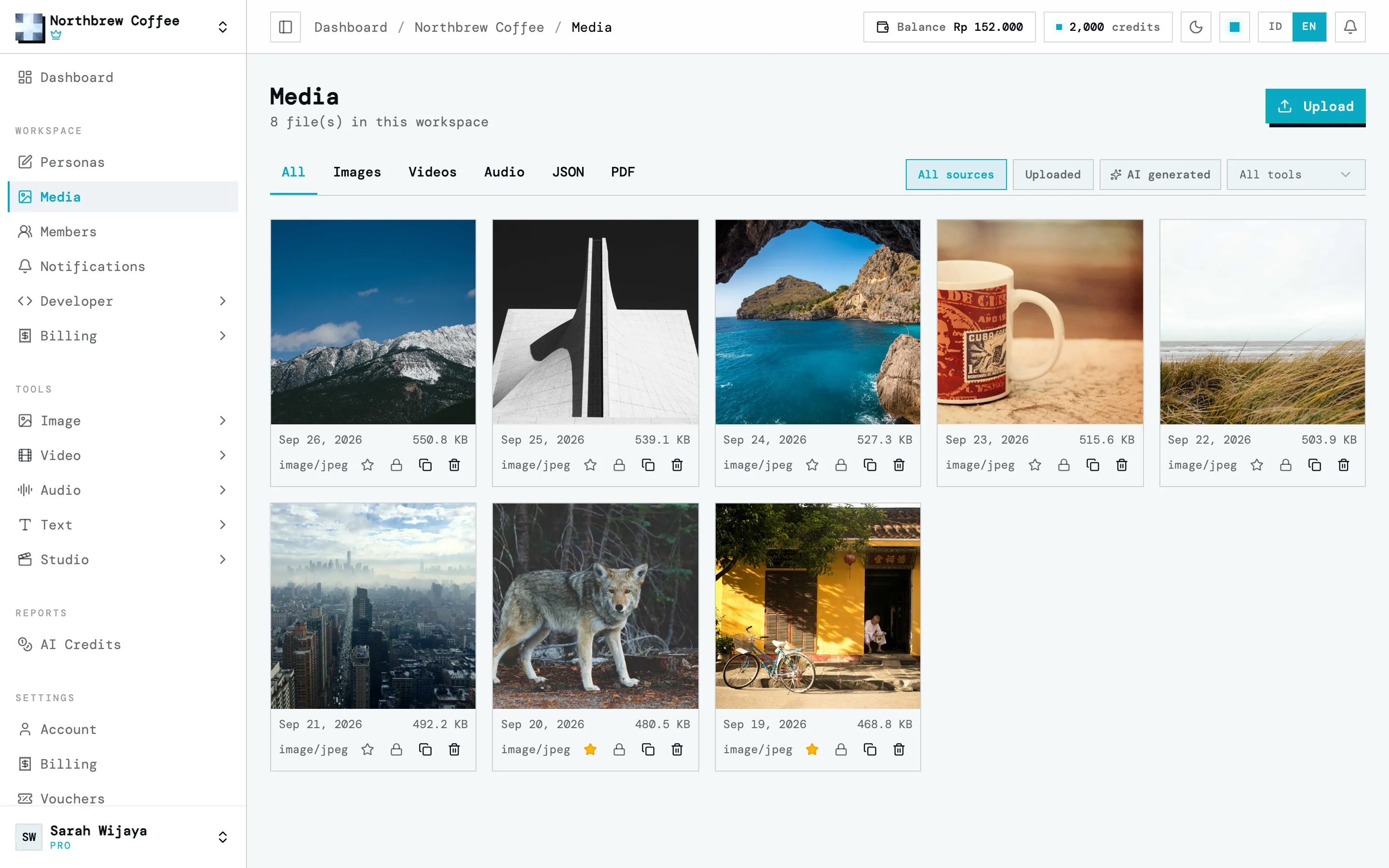
On a paid plan, everything the AI tools make and every file you upload goes into the workspace’s media library. So when you need the same result a week later, you find it here. It’s under Media in the sidebar.
Finding things
Section titled “Finding things”- The tabs across the top filter by kind: all, images, videos, audio, JSON (like Document Scan results) and PDF.
- On the right, filter by where a file came from: all, uploaded by you, or AI generated.
- The tool filter shows what one tool made, like only Text to Speech results.
What you can do with a file
Section titled “What you can do with a file”- Star marks a favourite, for the files you reuse a lot.
- Lock protects a file from being deleted. Its delete button stays disabled until you unlock it.
- Copy copies the file’s URL.
- Delete removes it.
Storage
Section titled “Storage”Storage is counted per account, not per workspace. Every workspace you own shares it, so if one fills up, the others can still use what’s left.
| Plan | Storage |
|---|---|
| Free | Nothing kept. 512 MB temporary, deleted after 1 hour |
| Starter | 1 GB |
| Creator | 5 GB |
| Pro | 15 GB |
| Agency | 50 GB |
From Creator up you can add storage with an add-on. See plans and add-ons.
When a plan ends
Section titled “When a plan ends”You can still open and download your files for 30 days, but you can’t add new ones. After 30 days, files over your new plan’s storage are deleted, oldest first. If you’re back on a free account, that means all of them, locked files included.